
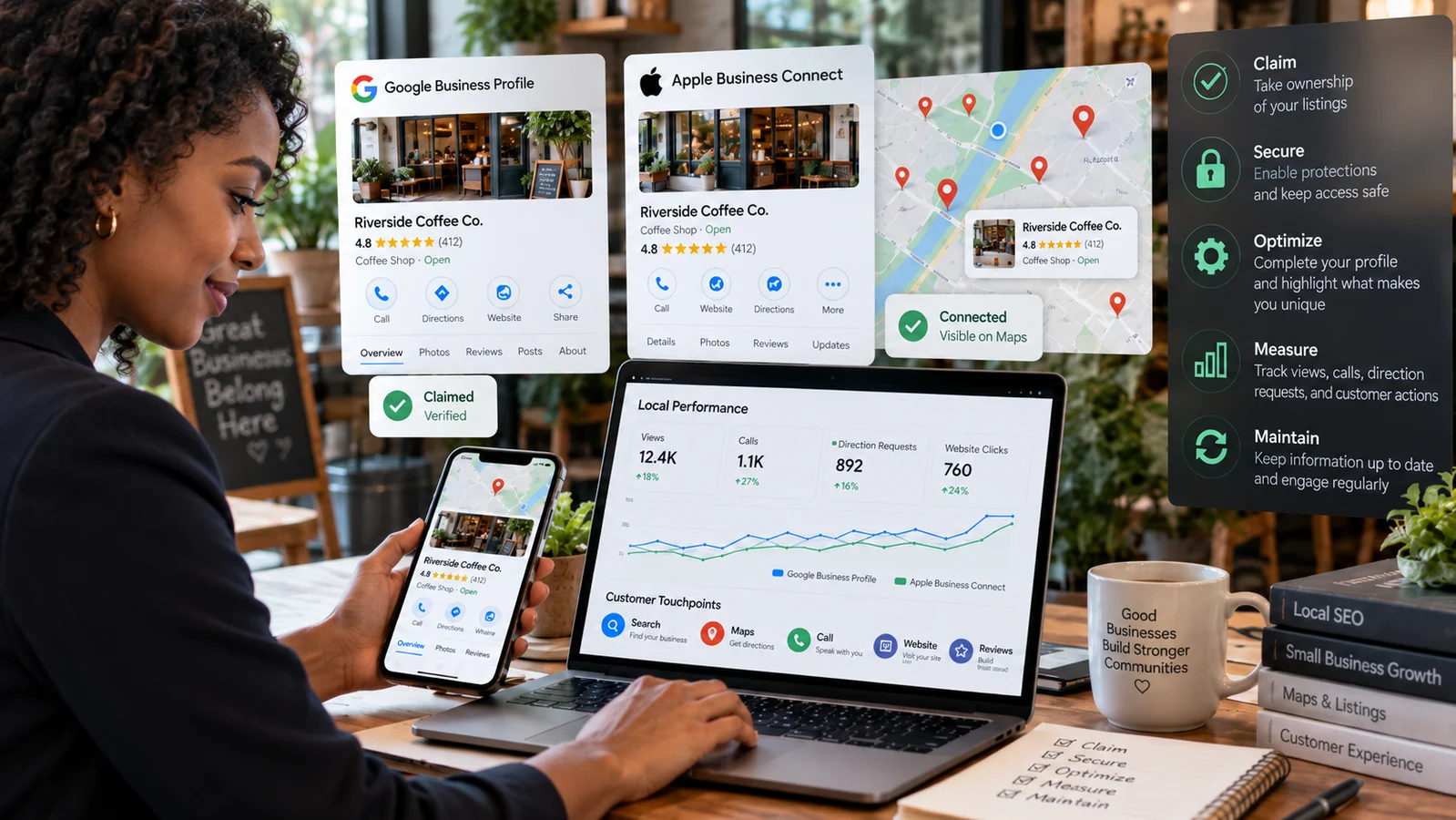
Google Business Profile and Apple Business Connect help customers find a business in search, maps, voice-assisted results, and local recommendations. The strongest approach is not to create a listing and forget it. It is to maintain accurate business facts, prove ownership, represent the real-world operation honestly, and connect every discovery surface to a useful customer journey.
People use local listings to decide whether a business exists, serves their area, is open now, offers the needed service, and can be trusted. A wrong phone number, duplicate location, outdated holiday schedule, or broken booking link creates friction at the moment a customer is ready to act.
This guide combines both platforms into one operating process. It also explains how listings connect with the business website. Review our mobile website guide for the landing experience and AI search readiness guide for a clear, machine-readable source of truth.
Create one reliable source of truth
Before touching a platform, document the official business name, physical address or service area, primary phone, website, categories, services, opening hours, holiday exceptions, appointment links, accessibility information, and public description. Record the owner of each fact and the process for approving changes.
Use the business’s real-world name rather than adding keywords, locations, slogans, or service lists that are not part of the name. Use a phone number that reaches the location or service team. Link to the most relevant page on the official domain. Keep the same core facts across the site, major platforms, invoices, and customer communication.
Consistency does not require identical marketing copy everywhere. It requires agreement on factual identity. One location should not appear with several spellings, old phone numbers, or conflicting hours. Where platforms support attributes differently, document the intended value and any justified variation.
Inventory existing profiles before creating new ones
Search the business name, former names, phone, address, and key staff across Google Maps and Apple Maps. Look for duplicates, unclaimed records, old locations, practitioner profiles, and listings created by former agencies. Claim or correct the existing authoritative place instead of adding a duplicate whenever possible.
Confirm eligibility and represent the business honestly
Google defines eligible businesses and representation requirements in its official Business Profile guidelines. A business generally needs in-person contact with customers during stated hours, with specific rules for storefronts, service-area businesses, hybrid operations, departments, practitioners, and virtual offices.
Do not show a residential address if customers are not served there. A service-area business can hide its address and define the area it serves. Avoid excessively broad or inaccurate areas; the listing should describe actual operations.
Apple Business Connect supports companies in claiming locations and managing how they appear across Apple services. Use the Apple Business Connect User Guide to confirm the appropriate company, brand, and location structure.
Platform rules change. Consult the current official documentation for the exact business model before making assumptions. Attempts to create keyword-stuffed names, false locations, or duplicates may confuse customers and can lead to suspension.
Set up and verify Google Business Profile
Use an organization-controlled Google account and add individual managers rather than sharing its password. Search for the existing business in Google Search or Maps, claim it if necessary, and follow the available verification method. Google may offer video, phone, email, postcard, or other methods depending on the business and changes involved.
Prepare evidence that connects the business to the location and operations: exterior and interior signage, access to staff-only areas, branded equipment, business documents, or tools used to serve customers. Follow the instructions shown in the profile; do not publish sensitive records.
After verification, complete the core details and review how the listing appears in Search and Maps. Test phone, directions, website, appointment, menu, and ordering links. Check the pin location carefully, especially in shopping centers, campuses, multi-unit buildings, and rural areas.
Choose precise categories
Select the primary category that best describes the main business, then add only relevant secondary categories. Categories influence which features and searches apply. Do not choose every adjacent service. Describe services in their proper fields and on the website.
Google states that local results are mainly based on relevance, distance, and prominence in its local ranking explanation. Complete information can help Google understand relevance, but no legitimate provider can guarantee a ranking or sell a special shortcut into local results.
Set up and verify Apple Business Connect
Create the account with organization-controlled details and claim the company and locations. Apple may require business verification and location verification. Follow the current workflow and ensure the company record, brand, and places reflect the real organization.
Review the place card customers see in Apple Maps and related services. Confirm the name, category, address, map pin, phone, website, hours, status, and available actions. Add a logo and cover image that remain clear in Apple’s crops. Use current, representative photography rather than promotional art that obscures the place.
Apple Business Connect can support actions and showcases where available. Choose actions that lead to a stable, mobile-friendly destination such as booking, ordering, tickets, or the relevant website page. Set accurate dates for time-limited promotions and remove expired material.
Manage multiple locations deliberately
Use a consistent naming and ownership convention while preserving accurate local details. Assign managers by role, not shared credentials. For larger location sets, document how new places, closures, temporary changes, and bulk updates are approved and validated.
Optimize the information customers use to decide
Hours and temporary changes
Maintain regular hours, holiday or special hours, and temporary closures. Do not mark a business permanently closed for a seasonal pause or renovation. Update listings, website, phone messages, booking systems, and social announcements from the same decision.
Phone, messages, and actions
Use a monitored number and train staff to answer consistently. If call tracking is used, preserve the primary business number where the platform allows and make sure tracking does not break caller ID, privacy, accessibility, or after-hours handling. Enable messaging only when someone can respond within the expectation shown to users.
Services, products, menus, and descriptions
Describe current offerings in plain language. Avoid unsupported claims, excessive capitalization, and content unrelated to the business. Keep prices, availability, dietary details, service areas, and booking requirements synchronized with operational systems.
Photos
Add clear, recent images of the exterior, entrance, interior, team where appropriate, and products or work. Accurate entrance and accessibility photos help customers arrive with confidence. Obtain necessary permissions and avoid exposing private information, computer screens, licenses, or people who did not consent.
Make the website the durable source behind the listings
Link each listing to the most relevant canonical page. A single-location business may use the homepage or contact page. A multi-location company should create useful location pages with unique address, hours, phone, services, directions, accessibility details, local proof, and a clear action.
Use Organization or LocalBusiness structured data where it accurately represents visible content. Structured data is not a place to invent facts or hide keywords. Keep canonical tags, crawl access, titles, and sitemaps healthy so search systems can find the source.
Make the landing page fast and usable on a phone. Phone numbers should work, directions should open predictably, and forms should request only necessary information. Avoid sending a person from a specific location listing to a generic page that makes them search again.
Use campaign parameters carefully
Tracking parameters can help distinguish visits from Google or Apple listing actions. Use a documented convention, keep URLs stable, and ensure parameters do not create duplicate indexed pages. Never place personal information in a URL. Test that redirects preserve the intended page and that analytics does not count duplicate conversions.
Manage reviews responsibly
Ask customers for honest feedback through a consistent process. Do not buy reviews, create them for your own business, ask employees to pose as customers, gate requests so only happy customers reach the public platform, or offer incentives that distort the review. Follow the current platform and consumer-protection rules.
Respond in the brand’s voice without revealing private customer information. Acknowledge the experience, clarify factual issues carefully, and move account-specific resolution to a private channel. A critical review may reveal a real operational issue; record patterns and assign improvements.
AI can help draft a response, but a person should approve it. The reviewer may mention health, payment, legal, family, or other sensitive context that should not be repeated. Our guide to AI-assisted email and review replies explains the draft-review-send model and data-control considerations.
Protect ownership and prevent unauthorized changes
Local profiles can change the phone, website, hours, and customer actions associated with a trusted name. Protect owner accounts with unique passwords, MFA, secure recovery methods, and more than one carefully chosen organizational owner. Give agencies and employees only the role they need.
Review users quarterly and remove former staff and vendors promptly. Keep a record of the verified business account, location groups, Apple company and brand structure, recovery contacts, and support cases. Monitor public listings for unexpected edits, duplicates, changed links, or incorrect closure status.
Beware of calls and messages claiming a listing will be removed unless immediate payment is made. Access the platform through a known bookmark or official domain rather than a link in an unsolicited message. Verification codes should never be handed to an unknown caller.
Measure customer outcomes, not profile activity alone
Platforms may report views, searches, calls, direction requests, website visits, bookings, or action taps. Definitions and availability can change. Record the source, reporting period, and meaning rather than combining unlike measures.
Connect listing data with website analytics, call outcomes, bookings, point-of-sale trends, and customer questions. A direction request is a useful signal but not proof of a visit. A phone tap is not necessarily a completed call or qualified lead. Use several sources and look for trends.
Review performance by location and action. Investigate material changes: incorrect hours, broken links, ranking shifts, seasonal demand, lost verification, a new competitor, website downtime, or a campaign. Turn the finding into an owner and next step.
Use a simple maintenance schedule
Weekly
Review proposed edits, new reviews, messages, questions, photos, and unexpected status changes. Confirm that urgent customer issues reach the right person.
Monthly
Test the phone, website, directions, booking, ordering, and other actions. Review insights and customer language. Add useful current photos and remove expired promotions.
Quarterly
Audit owners and managers, categories, services, descriptions, hours, attributes, accessibility details, location pages, structured data, and analytics tags. Search for duplicates and former locations.
Before holidays and business changes
Update special hours, closures, moves, phone numbers, rebrands, and service changes in a coordinated checklist. Validate the public result on both platforms and on the website.
Common questions
Is Google Business Profile free?
Google currently provides Business Profiles without a listing fee. Businesses may still pay staff, agencies, photography, advertising, or other services. Verify any billing claim through official support.
Do we need Apple Business Connect if we already use Google?
Apple Maps and related Apple experiences reach a distinct audience. Managing both improves accuracy and control across the discovery tools customers use.
Can a service-area business have a profile?
Eligible service-area businesses can use Google Business Profile under its current rules and should hide a residential address when customers are not served there. Confirm the exact model in the official eligibility guidance.
Should every city have a separate profile?
No. Create profiles for eligible real-world operations, not desired keywords or service areas. Fake or virtual locations can mislead customers and violate platform rules.
How long do changes take?
Timing varies by platform, type of change, verification, and review. Plan important holiday and location changes early, monitor the live result, and keep customer communication channels aligned.
Research references
- Google guidelines for representing your business.
- Google Business Profile eligibility.
- Google Business Profile: get started.
- Google: add or claim your Business Profile.
- Google: tips to improve local ranking.
- Apple Business Connect User Guide.
- Apple Business Connect getting-started guide.
- FTC guidance on endorsements and reviews.
Local listings are operational records, customer interfaces, and trust signals. Keep the facts accurate, the ownership secure, the website path useful, and the maintenance routine. For help connecting listings, local pages, reviews, and measurement into one dependable system, contact Waldok Solutions.