
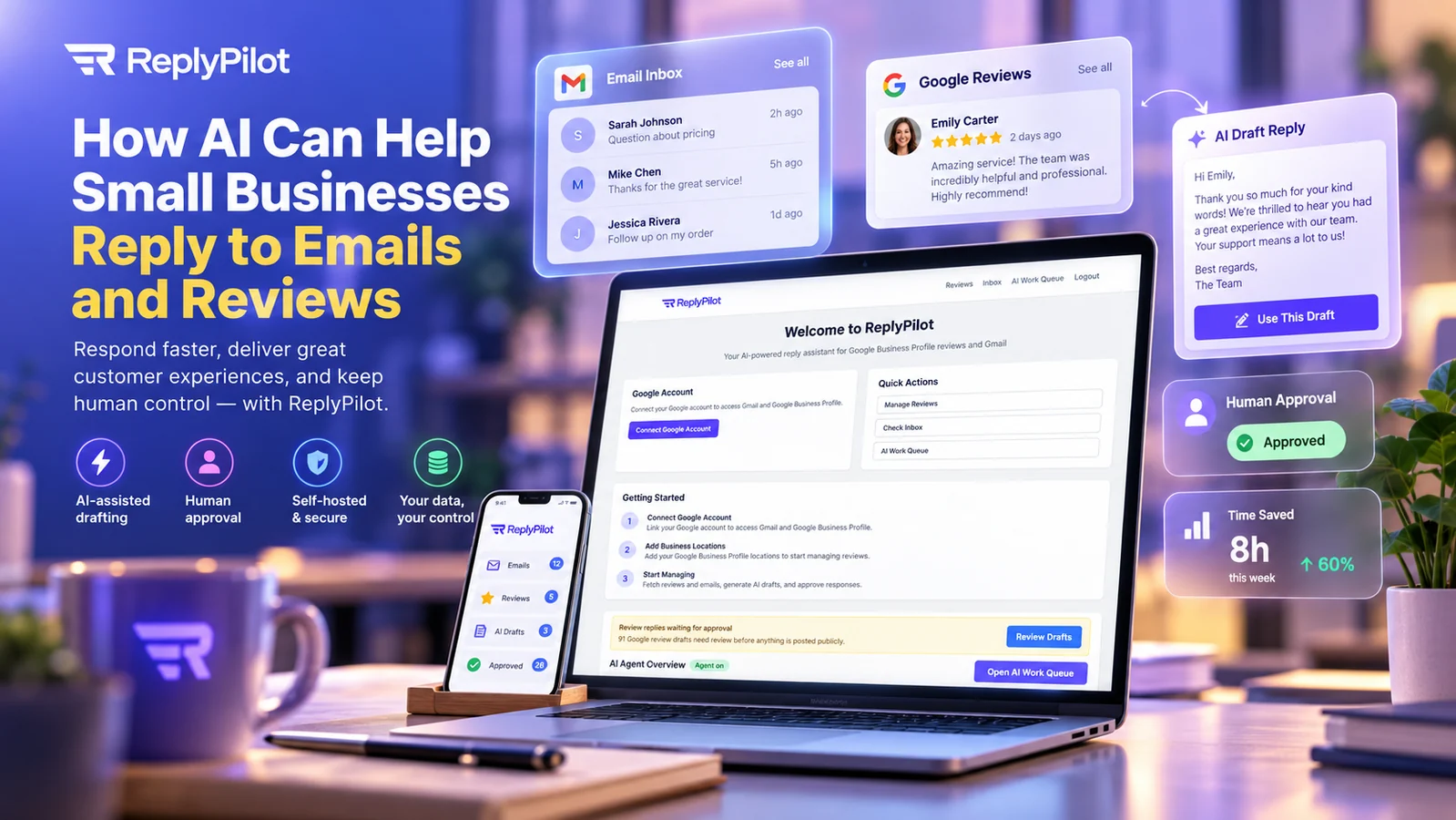
Customer emails and online reviews arrive while the business is already busy. A question needs an answer, a complaint needs care, and a positive review deserves more than the same copied thank-you used everywhere else. AI can help prepare replies faster, but speed is useful only when the business still controls the message, the customer relationship, and the information behind it.
The strongest workflow is assisted rather than automatic: bring the email or review into one controlled queue, generate a draft from the available context, let a person review or edit it, and send or publish only after approval. The AI handles the blank page. A responsible person retains the final decision.
This guide explains how that model works across customer email and Google Business Profile reviews. It also examines the role of self-hosted software, customer-controlled AI keys, privacy boundaries, and human judgment, using ReplyPilot as a practical example.
Why customer replies become a business bottleneck
Reply work often looks small when measured one message at a time. A team member reads the message, finds the relevant facts, decides on the tone, writes a response, checks it, and sends it. A review needs a similar sequence. Repeated across several inboxes, locations, and busy days, those short tasks become a persistent queue.
The cost is not only staff time. Slow or inconsistent replies affect the customer’s experience. One employee may write a warm, complete answer while another sends a terse sentence. An old template may contain an outdated promise. A review may remain unanswered because everyone assumes someone else will handle it. During a complaint, a rushed response can turn a service problem into a public argument.
Copying earlier replies is a common workaround, but it creates its own risks. The wrong name, product, appointment detail, or refund language can survive the copy. Generic templates also make genuine customers feel as though nobody read what they wrote. A better system keeps the efficiency of a reusable approach while producing a draft for the actual message.
Choose a defined communication task
“Use AI for customer service” is too broad. A clear starting point is “prepare first drafts for incoming customer emails and Google review responses, then require approval.” The inputs, outputs, responsible people, and finish line are visible. The workflow can be measured without giving a model unrestricted control of the customer relationship.
This follows the method in our guide to choosing a first AI business workflow: begin with a repetitive, bounded task that people can observe and correct. Drafting is a strong candidate because the first version can assist the existing process instead of replacing it.
Email and reviews are different channels with a shared workflow
A private email and a public review require different language. An email may contain order details, account history, scheduling questions, or personal information. A review is written for the business but displayed to future customers. Despite that difference, both channels can use the same operational pattern.
- Collect: retrieve a new email or review from an approved connected account.
- Classify: identify the topic, urgency, sentiment, location, and whether a specialist must handle it.
- Prepare context: supply only the approved business facts and conversation details needed for a useful response.
- Draft: ask the selected AI model to prepare a proposed reply in the business’s preferred style.
- Review: a person checks facts, tone, privacy, promises, and the proposed next step.
- Approve: the person explicitly decides that the reply is ready.
- Send or publish: the application uses the connected email or Business Profile account to deliver the approved version.
- Record: retain enough status and history to show what happened and avoid duplicate replies.
The value comes from making those stages visible. Staff should be able to distinguish a new item, an AI draft, an edited draft, an approved response, and a sent or published reply. A system that hides those states behind one “respond” button makes mistakes harder to catch and responsibility harder to explain.
Exceptions need their own path
Not every message should enter the normal queue. Threats, legal notices, payment disputes, safety concerns, requests involving sensitive personal information, and serious allegations may need immediate escalation. A request to reset an account or change a payment destination may require identity verification before any response is sent.
Create exception rules before the pilot. Tell staff what the tool may draft, what it should flag, and what it must leave to a named person. The goal is not to anticipate every unusual message. It is to prevent convenience from overriding obvious boundaries.
Auto-draft is different from auto-send
“AI replies” can describe two very different products. One prepares text for review. The other sends a message or publishes a review response without a person checking the final content. That single design choice changes the risk and the level of trust the business places in the system.
Auto-drafting reduces the effort of starting from nothing. It can recognize the apparent topic, organize the response, apply an approved tone, and suggest a next step. The staff member remains responsible for confirming whether the model understood the situation. If the draft is wrong, nothing has reached the customer yet.
Auto-send removes that checkpoint. A mistaken assumption, invented refund, inappropriate apology, privacy disclosure, or tone problem can become an external communication immediately. The faster path may appear efficient until a difficult exception arrives. Even high-quality models generate plausible language that is not necessarily supported by business policy or the customer record.
For this use case, draft-only is a deliberate product boundary. It assigns AI the work it performs well by forming a useful first version while reserving the consequential action for a person. Our explanation of AI agents and conventional automation explores the broader principle: capability and authority are separate decisions.
The human should approve the actual final text
An approval is meaningful only if the reviewer can see the message or review, the proposed response, and enough context to judge it. A checkbox beside a hidden or truncated draft is not a useful safeguard. The interface should make edits visible and prevent changes after approval unless the revised version is reviewed again.
Approval should also be tied to an authenticated user and a clear action. That provides accountability for the team and helps investigate an error. It does not need to become a heavy compliance ceremony; a visible name, timestamp, and status can be enough for a small business workflow.
What should a person check before approving a reply?
A reviewer needs a short, repeatable checklist. Reading only for grammar misses the most important risks.
- Identity: Is this the correct customer, conversation, business location, and channel?
- Facts: Are dates, prices, policies, product details, and actions supported by the available record?
- Intent: Does the reply answer what the person actually asked or acknowledge the point of the review?
- Tone: Is it calm, respectful, specific, and consistent with the business?
- Privacy: Does it avoid exposing order, health, financial, contact, or account details unnecessarily?
- Promise: Does it commit the company to a refund, deadline, replacement, discount, or result that the reviewer can authorize?
- Next step: Is the requested action clear, possible, and assigned to the right channel?
The checklist should be shorter for routine praise and more demanding for complaints or account-specific email. Use visual flags or separate queues when the workflow can identify a higher-risk category. Staff still need permission to override the classification because the model may misunderstand sarcasm, urgency, or local context.
NIST’s Generative AI Profile notes that generative systems may call for different levels of human oversight, review, tracking, and management depending on the context. That is the useful lesson here: the approval process should match the consequences of the communication rather than apply one generic rule to every message.
How AI-assisted drafting fits customer email
Email contains enough detail to make a helpful draft possible, but that detail also makes careful boundaries important. An application may retrieve the sender, subject, body, and conversation history. The drafting step may use some of that material together with approved business instructions. The final reply returns through the connected email account after approval.
Start with repeatable email categories
Good starting categories include opening hours, service availability, appointment preparation, product information, order-status questions, basic troubleshooting, and requests that already have a documented answer. These messages benefit from speed and consistency, and the team can verify drafts against a clear source.
Use a more cautious route for refunds, billing disputes, cancellations with contractual consequences, account access, medical or legal questions, threats, or messages from authorities. AI may still help summarize or prepare an internal note, but the customer-facing response should go to someone with the appropriate role.
Use the conversation, not the entire mailbox
A draft usually needs the current thread and a limited set of business facts. It does not need access to every message in the inbox. Connect the minimum account scope supported by the workflow, limit which mailboxes are included, and decide how much history is sent for drafting. If attachments are not required, exclude them until there is a defined reason and safe method to handle them.
Keep personal details out of templates and prompts where they do not add value. An appointment answer may need a date but not the customer’s full account history. A shipping response may need an order reference but not payment data. Data minimization improves privacy and makes drafts easier to evaluate.
Separate preparation from account authority
The drafting system should not silently gain permission to change account records, issue money, or reset credentials because it can read an email. Those are separate capabilities with separate controls. If the business later adds them, define authorization and confirmation explicitly instead of hiding them inside the reply workflow.
How the same workflow applies to Google reviews
Google Business Profile allows a verified business to reply publicly to customer reviews. Google says the reviewer is notified when the business replies, and the response appears as the business. That makes the draft relevant to two audiences: the person who wrote the review and future customers reading how the company responds. See Google’s official guidance on reading and replying to Business Profile reviews.
Positive reviews still deserve a specific response
A useful positive response acknowledges the detail the customer mentioned. If the reviewer praised a staff member, service, product, or moment, the draft can reflect that point without inventing information. Avoid turning every thank-you into an advertisement. Short and genuine often works better than a long promotional paragraph.
Negative reviews need calm and restraint
The first draft should acknowledge the concern without debating the customer publicly or disclosing private facts. If the business needs order details, contact information, or a fuller account, move the conversation to an appropriate private channel. The public reply can explain how to reach the team and what information to provide without confirming that the reviewer is a customer.
Do not report a review merely because it is negative. Google says only reviews that violate its policies are eligible for removal and that disagreement alone is not a violation. Its guidance on reporting inappropriate reviews recommends using the reporting process for issues such as spam or prohibited content.
US businesses should also understand that the Consumer Review Fairness Act protects honest consumer opinions and prohibits certain contract terms that bar or penalize negative reviews. The FTC’s business guidance on consumer-review fairness explains the scope and important exceptions. The rule is a legal matter, not a drafting style guide; businesses should obtain advice for a specific dispute.
A review reply should not reveal the customer record
A reviewer may identify themselves, but the business should not add account, purchase, health, financial, or contact details to prove its side. The staff member approving a reply must check that the draft stays within the public context. This is one reason the final decision should remain with a person who understands both the event and the business’s obligations.
Keep the business voice consistent without sounding mechanical
Consistency does not mean identical wording. Define a few useful voice rules: formality, sentence length, preferred greeting, whether first names are used, phrases to avoid, and how the business describes common policies. Add examples of strong replies and explain why they work. The model can use those instructions to prepare a recognizable first draft.
Give the reviewer permission to rewrite. A draft is a starting point, not a verdict on the best language. Staff may know that a regular customer appreciates a brief answer, that a local phrase feels natural, or that a sensitive complaint requires a call. The workflow should make editing quick rather than reward people for approving unchanged text.
Maintain one approved knowledge source
Collect the facts used repeatedly in customer replies: current hours, service areas, booking rules, returns, response times, warranty boundaries, escalation contacts, and links. Assign an owner to update them. If the source is wrong, a model can produce a polished but outdated reply consistently.
Separate facts from style. A tone guide explains how the company communicates. An operational source explains what the company currently offers or permits. Both need version control appropriate to the business, but operational facts usually require faster updates.
What self-hosting and data control mean in this workflow
Self-hosted software runs in infrastructure selected and controlled by the customer, such as a server account the business manages. For a reply application, this can place the application database, user accounts, configurations, connection settings, and workflow history under the customer’s administration rather than inside a separate multi-tenant software subscription.
That control can be valuable. The business chooses the server operator, access rules, backup approach, update schedule, retention policy, and who receives administrative credentials. It can keep the software close to other controlled systems and retain direct access to its application data if the vendor relationship changes.
Self-hosting is not a magic privacy label. Someone still needs to secure and maintain the server. Connected email and Google services process information under their own arrangements. When the application sends selected text to an AI provider for drafting, that provider receives the request. “Stored in our database” and “processed by our chosen model provider” are separate facts.
A business should therefore map the actual data path:
- The connected email or Business Profile service supplies an approved message or review to the self-hosted application.
- The application stores the workflow record in the customer-controlled database.
- The application sends the selected context to the AI provider chosen by the customer.
- The provider returns a proposed draft.
- The application shows the source and draft to an authorized reviewer.
- After approval, the application uses the connected account to send or publish the final reply.
The customer should review the terms, retention settings, and privacy arrangements of the selected email, Google, hosting, and AI providers. Our detailed guide to controlling business information in AI workflows provides the broader assessment questions.
Bring-your-own-key keeps provider choice visible
When an application uses a customer-supplied AI API key, the business holds the provider account, selects a supported model, sees provider usage, and pays the provider directly. That avoids hiding AI consumption inside an unknown markup and can make switching models more practical.
The key itself is a sensitive credential. Store it outside source code, restrict who can view or replace it, rotate it when staff or contractors change, and set provider-side usage controls where available. A bring-your-own-key design improves account control; it does not mean prompts stay on the application server.
How ReplyPilot applies this model
ReplyPilot is a self-hosted Waldok application for AI-assisted customer email and Google Business Profile review replies. Current product information describes support for Gmail or SMTP/IMAP email ingestion, one or more Business Profile locations, customer-supplied supported AI provider keys, and a draft-only approval workflow.
The central promise is straightforward: ReplyPilot prepares drafts; it does not auto-send them. A user reviews, edits, and approves the text before the connected account sends an email or publishes a review response. That boundary is more important than generating a reply a few seconds faster.
The workflow in practice
- The customer installs ReplyPilot on a server it controls.
- An administrator connects an approved Gmail or SMTP/IMAP account and, if needed, selected Google Business Profile locations.
- The administrator supplies a key for a supported AI provider and chooses the model configuration.
- ReplyPilot retrieves incoming items into the application and organizes them for response.
- The selected AI provider prepares a proposed draft using the supplied context.
- An authorized person reviews and edits the reply.
- ReplyPilot sends or posts only after that person approves the final version.
For agencies or businesses with several inboxes or locations, ReplyPilot describes a single-installation design with separation between clients or locations. The organization still needs to configure user access and operational ownership appropriately; a feature that supports separation must be implemented and administered correctly.
What the product controls and what the customer controls
ReplyPilot provides the application, reply queue, integration flow, drafting step, and human approval boundary. The customer provides and controls hosting, connected communication accounts, the AI provider account and key, user access, configuration, and ongoing operation. This division is part of choosing self-hosted software and should be understood before installation.
The Waldok AI product catalog places ReplyPilot alongside other focused tools built around a defined workflow. It is not a general-purpose autonomous customer-service agent. It addresses the specific job of preparing email and review replies while keeping the final communication under human control.
Plan a useful ReplyPilot pilot
A pilot should prove that the workflow saves time without reducing reply quality or weakening control. Use an approved test account or a limited production scope and keep the review gate in place.
Define the starting scope
Choose one inbox, location, team, or message category. Decide which users may see source messages, generate drafts, edit, approve, and administer connections. Exclude high-risk categories until the ordinary process is stable.
Build a representative test set
Include routine questions, incomplete messages, positive reviews, mixed reviews, a fair complaint, spam, sarcasm, a request that needs private follow-up, and a message the tool should escalate. Use data you have permission to process and remove unnecessary personal details from test material.
Measure corrections, not only speed
Record the time from intake to approved response, but also count factual corrections, tone rewrites, privacy catches, escalations, duplicate replies, and drafts rejected completely. A fast draft that staff must reconstruct does not create much value. Compare the pilot with the existing process using similar message categories.
Agree on acceptance criteria
- All external replies require an identifiable human approval.
- No unsupported refund, delivery, service, or policy commitments appear in approved responses.
- Restricted personal details are not placed in public review replies.
- Users can distinguish new, drafted, approved, and sent items.
- Provider credentials and account permissions are limited and documented.
- The team knows how to stop sending, revoke a connection, and use a manual fallback.
- Hosting, updates, backups, and user administration have named owners.
After the pilot, expand one dimension at a time: more message categories, another inbox, another location, or additional users. Avoid changing the provider, tone guide, knowledge source, and scope simultaneously because the team will not know which change caused an improvement or regression.
Common questions about AI-assisted customer replies
Does ReplyPilot answer customers automatically?
No. ReplyPilot’s published workflow is draft-only. A person reviews, edits, and approves the final text before the application sends the email or posts the review reply.
Can it work with both email and Google reviews?
Yes. Current product information covers customer email through Gmail or SMTP/IMAP and Google Business Profile review replies. The channels share the drafting and approval workflow while retaining channel-specific context.
Where is ReplyPilot application data stored?
The application is installed on the customer’s server, and ReplyPilot states that its application data is stored in the customer-controlled database. Connected services still hold and process their own data, and selected context reaches the customer’s chosen AI provider when a draft is generated.
Does self-hosted mean no third party processes any information?
No. Self-hosting describes where the ReplyPilot application and database run. Gmail, other email providers, Google Business Profile, the hosting provider, and the selected AI provider may participate in the complete workflow. Assess each connection and send only the context needed for the draft.
Why supply our own AI key?
A customer-supplied key keeps the provider relationship, model selection, usage records, and provider charges in the customer’s account. The business can apply supported spending limits or change providers when appropriate. The provider still processes authorized requests under its applicable terms.
Should every email or review receive a reply?
No. Spam, duplicate messages, abusive content, policy violations, legal notices, and some sensitive situations need another route. Google recommends replying to reviews when the business has new or relevant information to share and provides a reporting process for policy-violating content.
Will AI make every reply sound the same?
It can if the instructions and examples are generic or staff approve drafts without thought. Use a concise voice guide, reference the actual message, and encourage editing. Consistency should preserve the business’s standards while leaving room for a specific, human response.
Research references and further reading
- ReplyPilot product information and workflow.
- Google Business Profile Help: manage and reply to customer reviews.
- Google Business Profile Help: report inappropriate reviews.
- Google Business Profile Help: owners, managers, and review-response access.
- US Federal Trade Commission: Consumer Review Fairness Act guidance.
- NIST: Artificial Intelligence Risk Management Framework Generative AI Profile.
Good customer communication should become easier without becoming automatic or unaccountable. AI can prepare the first draft, the business can keep the application on its own server, and a person can retain the final say. To inspect the product, visit ReplyPilot. For help deciding whether it fits your workflow, start a conversation with Waldok.