
Facebook content often fails for ordinary operational reasons. The owner has ideas but no quiet time to write. Photos sit on a phone. Offers are announced too late. Several rushed posts appear in one week, followed by silence for the next month. The problem is rarely the absence of a clever caption; it is the overhead of turning real business activity into accurate, useful, approved content on a consistent schedule.
AI can reduce that overhead. It can turn a clear brief into post ideas and first drafts, adapt a message to a chosen tone, and help a team prepare several posts in one working session. Scheduling then separates creation time from publication time. The business still needs to choose what is worth saying, confirm every claim, select appropriate images, and decide what reaches its Facebook Page.
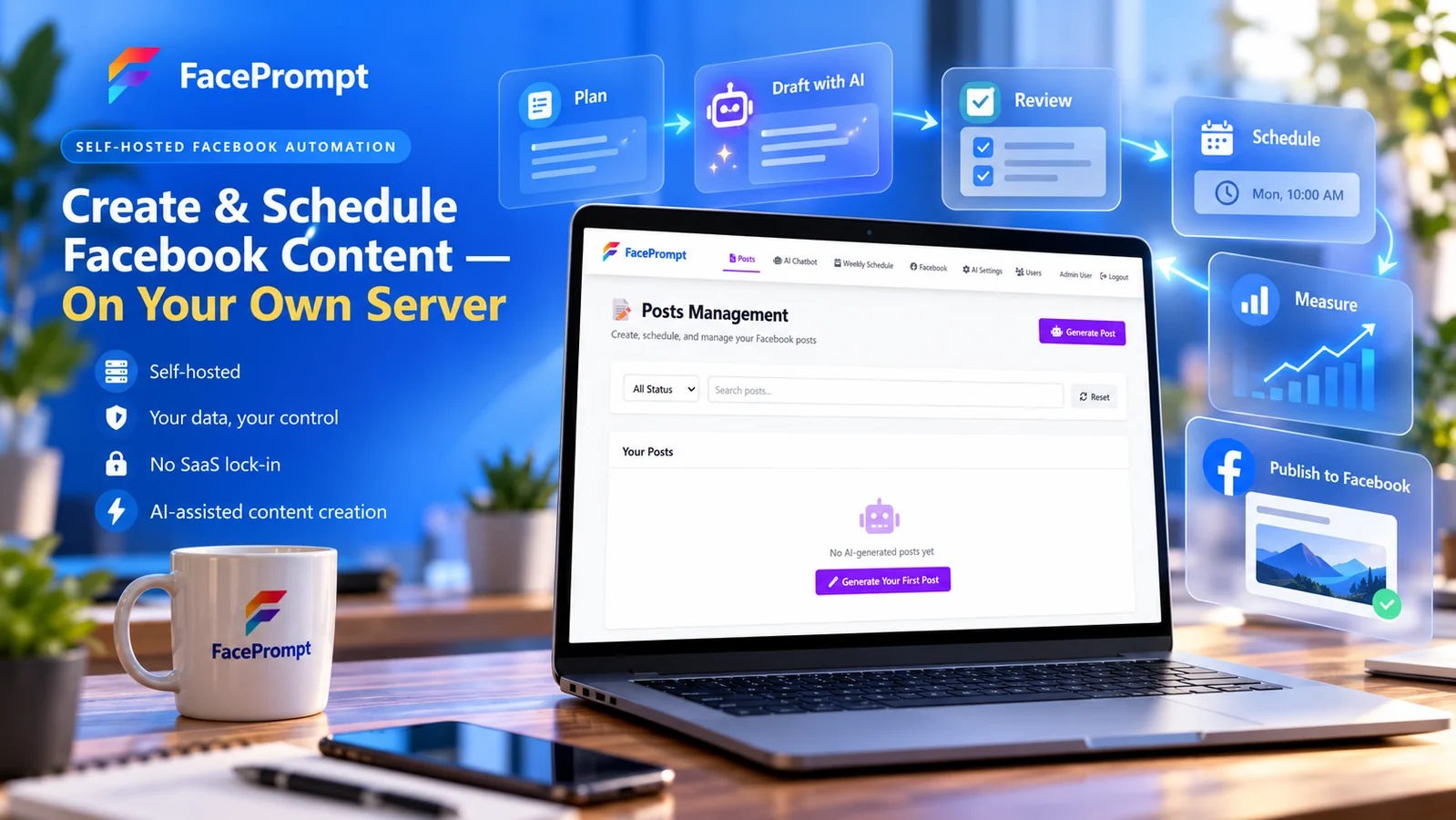
This guide explains a practical workflow for planning, drafting, reviewing, scheduling, publishing, and measuring Facebook content. It uses FacePrompt as a product example because its current site brings those stages together in self-hosted software rather than another centrally hosted social-media subscription.
Solve the publishing overhead first
Posting on Facebook takes seconds after the final copy and media are ready. Getting to that point takes much longer. Someone has to select a topic, find the facts, decide on an audience, write the post, locate or create an image, check names and dates, obtain approval, choose a publication time, and later respond to comments or enquiries.
Small teams often spread those responsibilities across people who already have full jobs. A manager knows what the business wants to promote. A technician or employee has the useful detail. Someone else took the photo. The Page administrator has publishing access. When the process exists only in messages and memory, every post becomes a miniature project.
AI helps most when it shortens the blank-page stage and makes a repeatable workflow easier to maintain. It should not become a demand to publish more for the sake of activity. Five weak posts created quickly can add more review work while giving customers less reason to pay attention.
Define a complete workflow
A complete Facebook content workflow has visible stages: idea, brief, draft, review, approved, scheduled, published, and measured. Each stage has an owner and a clear handoff. This is the same principle covered in our guide to choosing a first AI business workflow: automation becomes useful when the input, output, responsible person, and finish line are specific.
For a small business, the first version can be simple. One person gathers source material on Monday, prepares drafts on Tuesday, and approves a week of posts on Wednesday. Scheduling handles the release times. Comments and direct enquiries follow the business’s existing customer-response process.
Give every post a business purpose
Before asking AI to write, decide what the post should accomplish. A useful objective might be explaining a service, showing the quality of the work, answering a repeated question, announcing an event, attracting applicants, sending people to a useful web page, or reminding existing customers about seasonal preparation.
“Get engagement” is too vague. A post can receive reactions from people who will never buy, visit, enquire, or remember the business. Define the audience and desired next step in plain language. For example: “Help homeowners understand when a boiler noise needs professional attention, then link to the maintenance page,” or “Show local customers that Saturday’s bread is prepared in-house and invite pre-orders before Friday.”
Match the post to the customer’s moment
Some readers are discovering the business. Others are comparing options, preparing to contact someone, waiting for an appointment, or deciding whether to return. A discovery post may introduce a problem or show the people behind the work. A decision-stage post may explain the process, evidence, location, availability, or what happens after an enquiry.
Do not force every post into an immediate sales pitch. Educational and behind-the-scenes content can build familiarity that supports a later decision. The call to action should fit the content: read a guide, ask a question, view a service, book, visit, call, or save the information.
Build content pillars from real business activity
Content pillars are recurring subject areas that make planning easier. They are not rigid categories or a substitute for judgment. A useful set reflects what customers need to know and what the business can show truthfully.
- Education: practical explanations, common mistakes, preparation, care, or maintenance.
- Services and products: what the business offers, who it helps, and what the process includes.
- Proof: completed work, permitted customer stories, demonstrations, qualifications, or results with appropriate context.
- People and process: the team, workshop, preparation, sourcing, quality checks, and daily work.
- Community: local events, partnerships, causes, milestones, and useful area information.
- Timely updates: availability, closures, launches, seasonal reminders, and events.
A local bakery could turn one ordinary week into several credible ideas: how a seasonal loaf is made, when weekend pre-orders close, a staff introduction, storage advice, a community event, and a photograph from the morning bake. A contractor might use project preparation, material choices, weather planning, a common homeowner question, and a completed job with the customer’s permission.
Maintain an idea bank
Keep a lightweight list of customer questions, staff observations, seasonal dates, new services, approved stories, website resources, photographs, and upcoming events. Capture the source and owner with each idea. When drafting time arrives, the team works from evidence rather than asking a model to invent a month of generic topics.
The idea bank also prevents repetitive posts. A calendar may look varied while repeating the same message with different adjectives. Review the last several weeks before adding another promotion, testimonial, or general “contact us” reminder.
Give AI a useful brief
An AI prompt should resemble a short creative brief. State the business, audience, objective, source facts, desired next step, tone, restrictions, and format. Include the link or approved information the post should use. If a date, price, location, offer, or result matters, provide it explicitly.
A weak instruction says, “Write a Facebook post about spring cleaning.” A stronger brief says, “Write a 100-word Facebook post for homeowners within our service area. Explain three rooms people often overlook during a spring deep clean, using only the attached service checklist. Keep the tone practical and friendly. Do not promise same-day availability or mention a discount. End by linking to our deep-cleaning service page.”
Separate facts from style
Facts should come from the business. Style instructions shape how those facts are expressed. A model may be able to create cheerful, professional, educational, or concise language, but tone does not make unsupported information true.
Mark non-negotiable wording where needed. Regulated industries, warranties, finance, health-related services, competitions, employment posts, and limited offers may require approved language. The drafting tool should not paraphrase a condition if changing it could alter the meaning.
Use AI for drafts, not unchecked publishing
AI is valuable for generating a first version, alternative opening, shorter edit, clearer explanation, or several angles from the same approved source. Those are preparation tasks. Publishing is a business decision because the post becomes a public statement connected to the brand.
This is a bounded application of the distinction in AI Agents vs. Automation: language generation can assist the creative step, while explicit workflow states and permissions govern review, scheduling, and publication.
This distinction mirrors the supervised approach in our guide to AI-assisted email and review replies. The model reduces writing friction. A person decides whether the result is accurate, appropriate, timely, and worth publishing.
Ask for useful variation
Generating ten nearly identical captions is not meaningful choice. Request variations with different functions: one educational opening, one customer-question opening, and one behind-the-scenes opening. Compare which one best matches the source and objective.
Then edit rather than repeatedly prompting for perfection. A capable editor can often fix a draft faster than asking the model to make small changes through several turns. Editing also brings back the phrases, observations, and specificity that distinguish the business from generic social content.
Avoid synthetic busyness
Easy generation can fill a calendar with posts that sound complete but say little. Watch for inflated introductions, vague encouragement, repeated three-item lists, invented enthusiasm, excessive punctuation, and calls to action unrelated to the post. Delete anything that does not help the intended reader.
Facebook distribution changes over time, and no wording formula guarantees reach. Build a reliable process around content quality and customer relevance rather than claims that a particular prompt, post length, emoji pattern, or publication hour will satisfy an algorithm.
Create a human review gate
A review gate should be an explicit stage, not a vague assumption that somebody will notice a problem. The reviewer needs the draft, source facts, media, destination link, planned time, and Page identity in one place.
- Accuracy: Are names, dates, prices, locations, availability, qualifications, and service details correct?
- Evidence: Can the business support every explicit and implied claim?
- Audience: Does the post answer something useful for the intended reader?
- Voice: Does it sound like this business rather than a generic marketing template?
- Context: Could current events, local circumstances, or another scheduled post make it inappropriate?
- Permissions: Can the business publish the photo, customer story, employee likeness, music, quotation, and link?
- Disclosure: Is a commercial relationship or material connection explained clearly where required?
- Destination: Does the link work, match the promise, and make the next step obvious?
- Page and time: Is this going to the correct Facebook Page at an appropriate date and time?
Use roles for multi-page work
An agency or group managing several Pages should separate drafting, approval, and publishing permissions where practical. Every draft should display the intended client or Page prominently. Reusing a structure across clients can save time, but copied names, locations, links, and claims are serious errors.
Templates should store the shape of a post, not another client’s factual content. For example, “problem, practical tip, local example, service link” is reusable. A customer quote, promotion, or certification is not.
Protect truth, permissions, and disclosures
Social posts are advertising when they promote the business, even if they sound conversational. The US Federal Trade Commission’s advertising guidance for small businesses says advertising claims must be truthful, non-deceptive, and supported by evidence. AI does not change that responsibility.
Review implied claims as well as literal sentences. “Customers save hundreds,” “the safest choice,” “results in one visit,” or an edited before-and-after image can communicate more than the business intends. Remove or qualify claims the source material does not support.
Handle testimonials and endorsements carefully
A customer story should reflect a real experience and be used with permission. Do not ask AI to manufacture a quotation, persona, or review. The FTC’s current endorsement and testimonial resources explain that endorsements must be honest and that material connections may need clear disclosure.
If an employee, relative, partner, paid creator, or person who received something of value endorses the business, determine what disclosure is needed and make it hard to miss. Hiding a disclosure after a “more” cut, at the end of a large hashtag group, or only on a profile may fail to give readers the relevant context.
Respect platform rules and people’s rights
Review Facebook’s current policies for prohibited content, spam, intellectual property, promotions, and advertising where applicable. Meta maintains its spam policy as part of the Community Standards. Scheduling software does not override those rules.
Obtain permission before turning a private customer exchange into public content. Remove account details, addresses, faces, vehicle plates, documents, or property features that should not be exposed. Employees should understand how their photographs and quotations may be used.
Batch and schedule a sustainable calendar
Batching places similar tasks together. Instead of stopping daily to invent and publish one post, the team can select ideas, prepare source materials, draft, review, and schedule several posts during one focused session. The mental cost of restarting the process falls, while the approval standard stays visible.
Choose a planning horizon that matches the business. A week works well for fast-changing availability. Two to four weeks may suit educational posts, recurring services, and planned campaigns. Do not schedule so far ahead that weather, inventory, staffing, events, or current circumstances are likely to invalidate the message.
Use a simple calendar
For each post, record the date, Page, pillar, audience, objective, source, format, link, owner, approval state, and publication status. This can be lightweight. The value comes from seeing the mix and preventing gaps, collisions, and accidental repetition.
Meta provides native scheduling for Facebook Pages, and its official Facebook Help guidance remains the reference for current Page scheduling behavior. A dedicated tool may offer a workflow that better fits content generation, templates, review, multiple managed Pages, or self-hosting, but the Page connection and publishing permissions still depend on Meta’s platform.
Leave room for timely posts
A full calendar should not prevent the business from responding to real events. Reserve space for weather, community news, new stock, completed work, staff achievements, or customer questions. When circumstances change, pause or edit scheduled content rather than letting automation publish something tone-deaf or inaccurate.
Pair useful words with credible creative
The strongest image is often evidence from the business: the people, place, product, preparation, work in progress, finished result, event, or customer experience. AI-generated visuals can support some editorial concepts, but they should not misrepresent a real product, completed job, employee, customer, or location.
Create a basic capture routine. Take wide, medium, and detail photographs during suitable work. Record what the image shows, when it was taken, who owns it, and whether the people shown have agreed to publication. Store the original rather than repeatedly downloading compressed social copies.
Design for the feed and for accessibility
Use a clear subject, readable contrast, and minimal embedded text. Check how the crop behaves on a phone. Captions should still make sense when an image does not load, and important information should not exist only inside a graphic.
When the platform supports alternative text, describe the information and purpose of the image concisely. The W3C image decision tree provides a useful method for deciding whether an image needs an informative description or is purely decorative.
Measure business value instead of posting volume
Publishing consistently is an operating goal, not the final result. Measure what happens after the post. Relevant outcomes may include qualified messages, calls, bookings, visits to a service page, event attendance, applications, pre-orders, or repeat customers who mention the content.
Platform signals such as reach, reactions, comments, shares, link clicks, and video completion help explain how people encountered the post. Interpret them in context. A post answering an important customer question may produce few reactions yet support several high-quality enquiries. A humorous post may travel widely without moving anyone toward the business.
Run small editorial experiments
Change one meaningful element at a time: topic, opening, format, photograph, call to action, or publication time. Compare a group of similar posts rather than declaring success from one result. Record what the team learns in the template or brief.
Keep the website as the durable source for detailed service information, evidence, policies, and conversion paths. Our guide to preparing a business website for AI search explains why clear public pages matter across modern discovery. Facebook posts can introduce and distribute that information; they should not become the only place it exists.
Understand self-hosting and data control
Self-hosting means the application and its database run in infrastructure chosen by the customer. For FacePrompt, the current product site says posts, schedules, and settings live on the customer’s server rather than a shared FacePrompt SaaS database. The customer uses its own supported AI-provider account and API key.
That arrangement gives the customer direct responsibility for hosting, access, updates, backups, provider accounts, and costs. It can reduce dependence on a central software vendor’s database and subscription model. It does not mean every part of the workflow remains inside one server.
Prompts sent for generation are processed by the chosen AI provider under that provider’s terms. Published content and Page permissions involve Meta. Hosting providers, payment processors, email services, and other configured services may also participate. Map the actual data flow and choose what information belongs in a generation prompt. Our article on AI data privacy and business control provides a fuller evaluation framework.
Bring-your-own-provider changes the relationship
Using a customer-supplied API key lets the business choose the supported provider, manage that provider account, see usage there, and pay the provider directly. It avoids an undisclosed markup inside the content tool. The business still needs to review the provider’s retention, training, access, region, security, and deletion terms.
Do not paste confidential customer records, unreleased financial information, passwords, private employee matters, or unnecessary personal data into a social-post brief. Most effective posts can be grounded in approved public facts and non-sensitive business context.
How FacePrompt supports the workflow
FacePrompt is licensed, self-hosted software for generating, reviewing, scheduling, and publishing Facebook Page content. The current public workflow starts with installation on a customer-chosen server, then connects managed Facebook Pages and a supported AI provider using the customer’s API key.
It appears in the Waldok AI product catalogue alongside other focused applications designed around defined business tasks.
Generate from a pillar, audience, and tone
The application supports AI-assisted ideas and drafts rather than requiring every post to begin from an empty field. Its public demonstration includes content-pillar and tone choices. The full workflow adds the business’s prompt and context, allowing the user to prepare a draft for a specific Page and purpose.
Review before scheduling or publishing
FacePrompt’s published process places review and editing between generation and publication. A user can adjust the draft, then schedule it to Facebook or publish it immediately. Content templates and planning features support reuse without removing the approval decision.
Plan ahead and inspect lightweight analytics
Batching and scheduling help the team prepare a week of content during one session. Lightweight analytics are intended to show what performs without turning the product into a complex reporting suite. The business can combine those signals with website, enquiry, booking, or sales data when evaluating value. Our content creation and analytics guide explains how to turn those signals into editorial decisions.
Operate from the customer’s instance
The product is installed on a VPS, cloud server, or private infrastructure selected by the customer. Posts, schedules, and settings live in that instance, while AI usage is billed through the customer’s chosen provider account. The public site describes a one-time software licence rather than per-post, per-seat, or monthly FacePrompt SaaS charges.
Visit the FacePrompt website for the current feature description, interactive demo, requirements, pricing, and access. Product and platform details can change, so the live site should remain the reference when making a purchase or deployment decision.
A 30-day implementation plan
Week 1: establish the baseline
Review the previous eight to twelve weeks of posts. Record frequency, topic mix, approval delays, corrections, enquiries, useful comments, link performance, and content gaps. Interview the people who hold source information and publishing access. Choose one Page and a named workflow owner.
Week 2: build the working system
Select four to six content pillars, create an idea bank, and define a one-page brief template. Write the review checklist and prohibited-content list. Confirm image permissions, Page roles, brand voice, approved claims, destination links, and who may approve or publish.
Week 3: draft and schedule a pilot
Prepare one or two weeks of content from real source material. Use AI for first drafts and variations, then edit every selected post. Check the calendar as a whole for repetition and conflicting messages. Schedule approved posts and retain room for timely updates.
Week 4: review outcomes and effort
Compare drafting time, review time, corrections, publishing consistency, and business outcomes with the baseline. Read comments and enquiries for qualitative evidence. Update the prompt template, pillars, review checklist, and schedule. Continue only with the elements that improve the whole workflow.
Common questions
Can AI create an entire Facebook content calendar?
It can propose a calendar, but the business should supply real priorities, events, offers, customer questions, source facts, and constraints. A generated list without those inputs usually becomes generic and may include ideas the business cannot support.
Should posts publish automatically after generation?
Use a review gate. The person approving the post should check facts, claims, permissions, tone, Page, link, media, timing, and disclosures before scheduling or publishing.
How often should a small business post?
There is no universal number that guarantees reach or results. Choose a pace the business can sustain with useful source material and proper review. Start with consistency and quality, then adjust using audience response and business outcomes.
Does self-hosting mean Facebook and the AI provider receive no data?
No. Self-hosting describes where the FacePrompt application and database run. The selected AI provider processes the context sent for generation, and Meta processes content and account information involved in Page publishing.
Can an agency manage several Pages?
The FacePrompt site identifies agencies managing client Pages as an intended use case. Each Page still needs appropriate permissions, separated client facts, clear approval ownership, and checks that prevent cross-client publishing errors.
Is FacePrompt affiliated with Meta or an AI provider?
No. The FacePrompt site states that the product is not affiliated with or endorsed by Meta, OpenAI, Google, or Anthropic. It connects to supported services through accounts and keys controlled by the customer.
Research references
- FacePrompt: current product workflow, features, demo, pricing, and access.
- Facebook Help: scheduling and managing scheduled Page posts.
- Meta Transparency Center: Facebook spam policy.
- US Federal Trade Commission: advertising guidance for small businesses.
- US Federal Trade Commission: endorsements, influencers, reviews, and disclosures.
- NIST: Artificial Intelligence Risk Management Framework Generative AI Profile.
- W3C Web Accessibility Initiative: image alternative-text decision tree.
Useful Facebook automation should make a disciplined content process easier to sustain. It should help the team turn real business material into drafts, preserve human approval, schedule deliberately, and learn from results. To inspect the self-hosted workflow, try the interactive demonstration, and review current product information, visit FacePrompt. To discuss how the workflow could fit your wider digital strategy, start a conversation with Waldok.